365 Management 0.36.2618.002
Here you will find the latest features, improvements, and bug fixes for the 365 Management.
To ensure you have the best experience using our product, we recommend updating to the latest version available.
 Note: The features available to you will depend on the configuration and the current version of the 365 Management you're using.
What's New
Backup Zone Overrides
You can now create different sets of backup zones that can be applied manually, or automatically on a schedule which allows different dispatch rules where required.
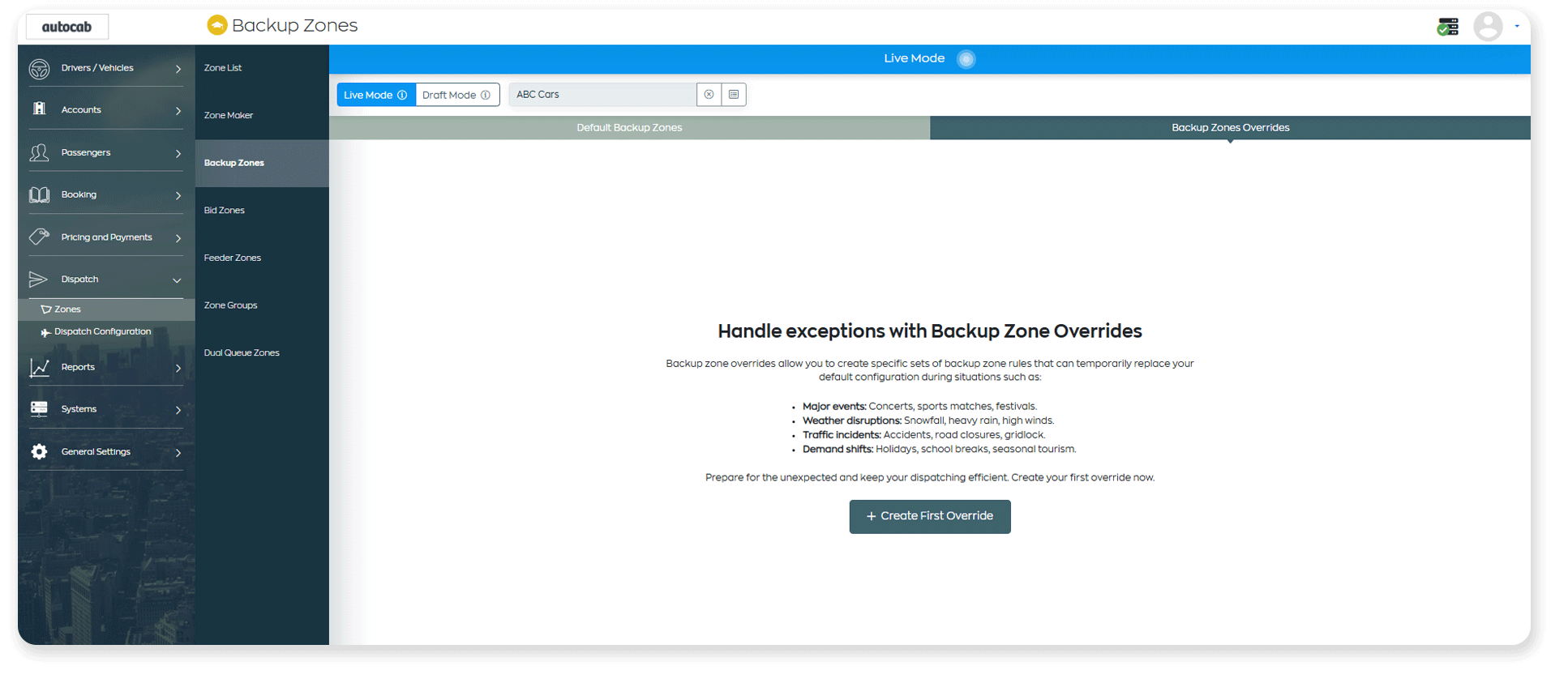
Backup Zones overrides help improve the efficiency of your dispatch at busy times and enable better pre-planning for upcoming busy times and days.
Backup Zones overrides help improve the efficiency of your dispatch at busy times and enable better pre-planning for upcoming busy times and days.
New Booking Sources in Booking Control Rules
New options in Booking Controls allow you to control which payments are accepted on E-Booker and in your E-Booker Booking Stations, including which zones these booking sources can book in.
Capability Colours in Functionality Groups
You can now configure capability colours for your drivers as an operator, and control whether drivers can configure their own capability colours.
A new settings have been added in Global Settings > Interface and Driver Companion > Functionality Groups > Interface, where you can toggle on the ability to configure capability colours, or set them yourself for your fleet.
Call Recording Permission in User Roles
We've added a new option in the Roles section under the 'Telephony Tab', where you can control the user permission for who can play call recordings.
Updates to 'Pay In/Out'
We've added several enhancements to the Pay In/Out feature in Accounts:
- The 'P' key for Pay In/Out can now be done when viewing the driver accounts table. Operators no longer need to view a specific driver to perform a Pay In/Out
- A new setting, 'Auto Populate Pay In Amount', that controls whether the Pay In/Out feature auto-populates the amount owed into the input field and also selects ‘Pay In’ by default.
- Driver picture added to the 'Pay In/Out' popup so it is clear to operators which driver they are performing the action on.
Passenger On Board Textback Message
Support for a new textback event has been added which triggers when a driver picks up the passenger and swipes 'Passenger On Board'. This message can be sent to the booker or the greeter of the booker. To enable this setting, go to Passengers > Passenger Communications > Textback > Templates > Booker & Greater tabs.
“Deny Vehicle” Option in Reject Mode
The Deny Vehicle setting in Reject Mode has been updated from a simple on/off toggle to a three-option setting:
- Off
- On
- On (Bidding Allowed)
The new “On (Bidding Allowed)” option allows drivers to bid on bookings they previously rejected, providing greater flexibility.
Target Email Option in Promo Codes
We have added support to the existing 'Target Audience' setting in Promo Codes so that an email address can be entered as well as, or instead of, a phone number.
Functionality Groups: 'End of Shift' Email Support
We have added a 'Send Driver Shift Report as Email?' setting to Driver Companion > Settings Groups > Features, where you can configure whether functionality groups need to receive the End of Shift email report.
Booking Offer Fields: Booking ID
We've added support for adding the 'Booking ID' to the bid for prebooking/active bid cards.
Improvements
Locale support for Denmark
We have added locale support for Denmark (da-DK).
Font in Receipt Template Editor
We've updated the font in the template editor for receipts.
Booking Offer Fields: Penalty Times
The 'Penalty Times' setting in the Booking Offer Fields has been moved into the 'Job Offer' section.
Updated Help Page Links
Help centre links (yellow hat icon) across Management have been updated to point to the new help centre.
Bug Fixes
- Fixed: Issue where some tariffs cannot be opened.
- Fixed: Issue where focus is being lost in the tariff builder when setting values.
- Fixed: Issue with accounts for all companies showing to user with restricted access.
- Fixed: Issue where some phone numbers appear as NaN on different locales.
- Fixed: Issue where driver and vehicles continues to load even when the accounts server is down.
- Fixed: Issue with the No Fare Operator Only setting where the custom configuration is not working correctly.
- Fixed: Issue where the capability column in the Capability Charges modal is showing as blank.
- Fixed: Issue when enabling the 'Max. Autobid Radius' toggle on, pressing save, and navigating to another tab, upon returning to the 'Acceptance' section, the toggle shows as disabled.
- Fixed: Issue affecting the textback service where an ampersand '&' in the sender field causes the text web service to fail.
Minimum Requirements
To ensure Autocab 365 operates and performs as designed, please make sure that your device meets the requirements listed below:
- Operating System: Windows 10 or newer
- Processor: AMD 3600 or better, Intel i5 10th gen or better
- Storage: Solid State Drive (SSD) or Non-volatile Memory express
- RAM: 8GB RAM (16GB recommended)
- Google Chrome Web Browser
- Internet Connection