Directory Editor - Phantom
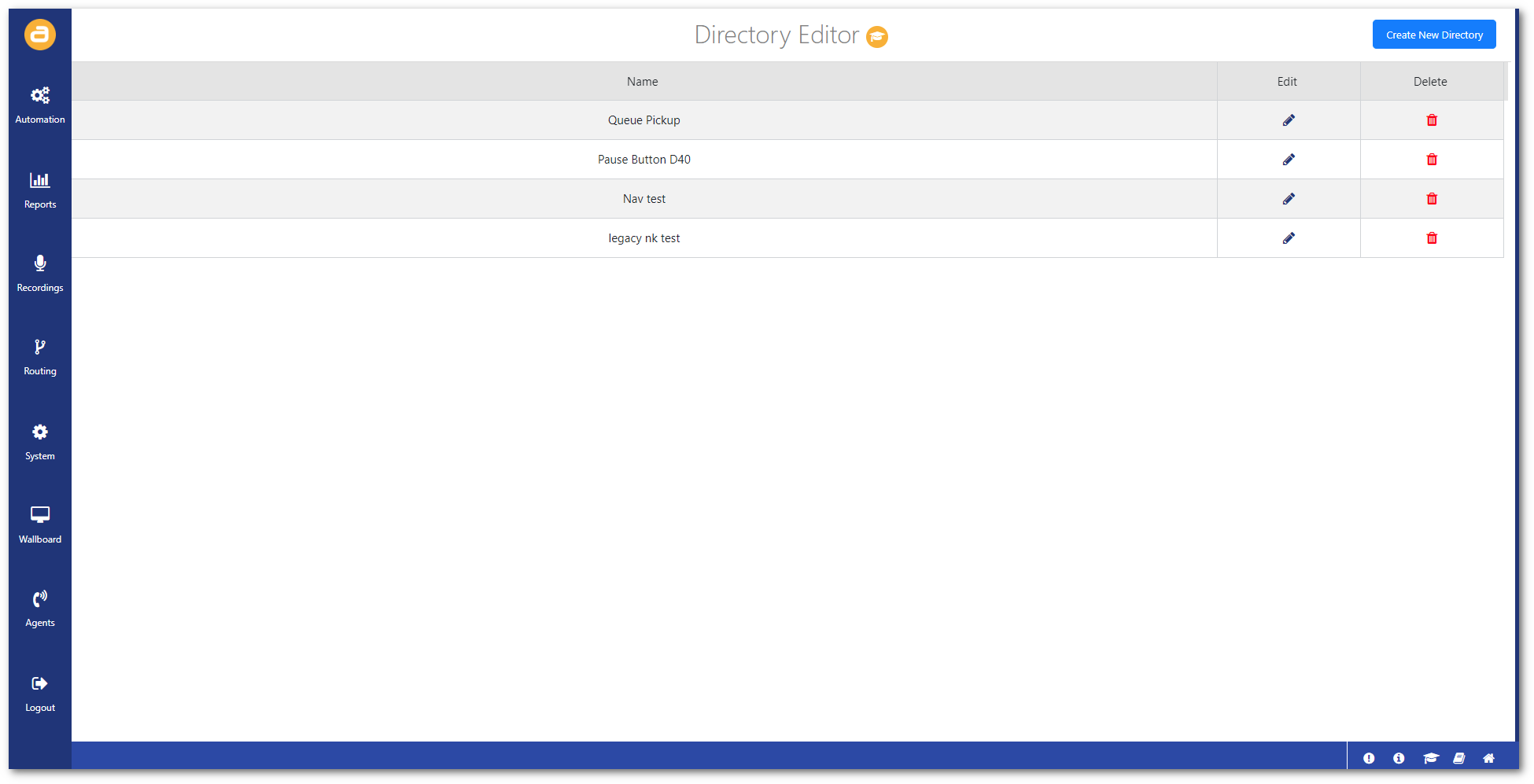
The Directory Editor screen can be used to create. edit, and delete your own directories.
This is useful for provisioning phones that have their own directory buttons.
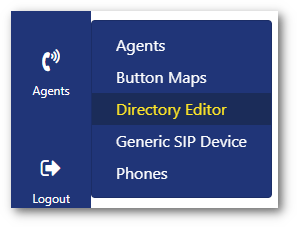
To access this screen:
- Click on Directory Editor from the Agents menu.
Create directory
To create a directory:
- Click on Create New Directory in the top-right.

- Configure the directory.
Note: You can click on 'Add Entry' to add multiple directories.
First Name: Enter a first name to identify the directory.
Last Name: Enter a last name to identify the directory.
Type: Select the directory type (E.g. Agent, Number).
Number: Enter the number value (E.g. Phone number, Button number).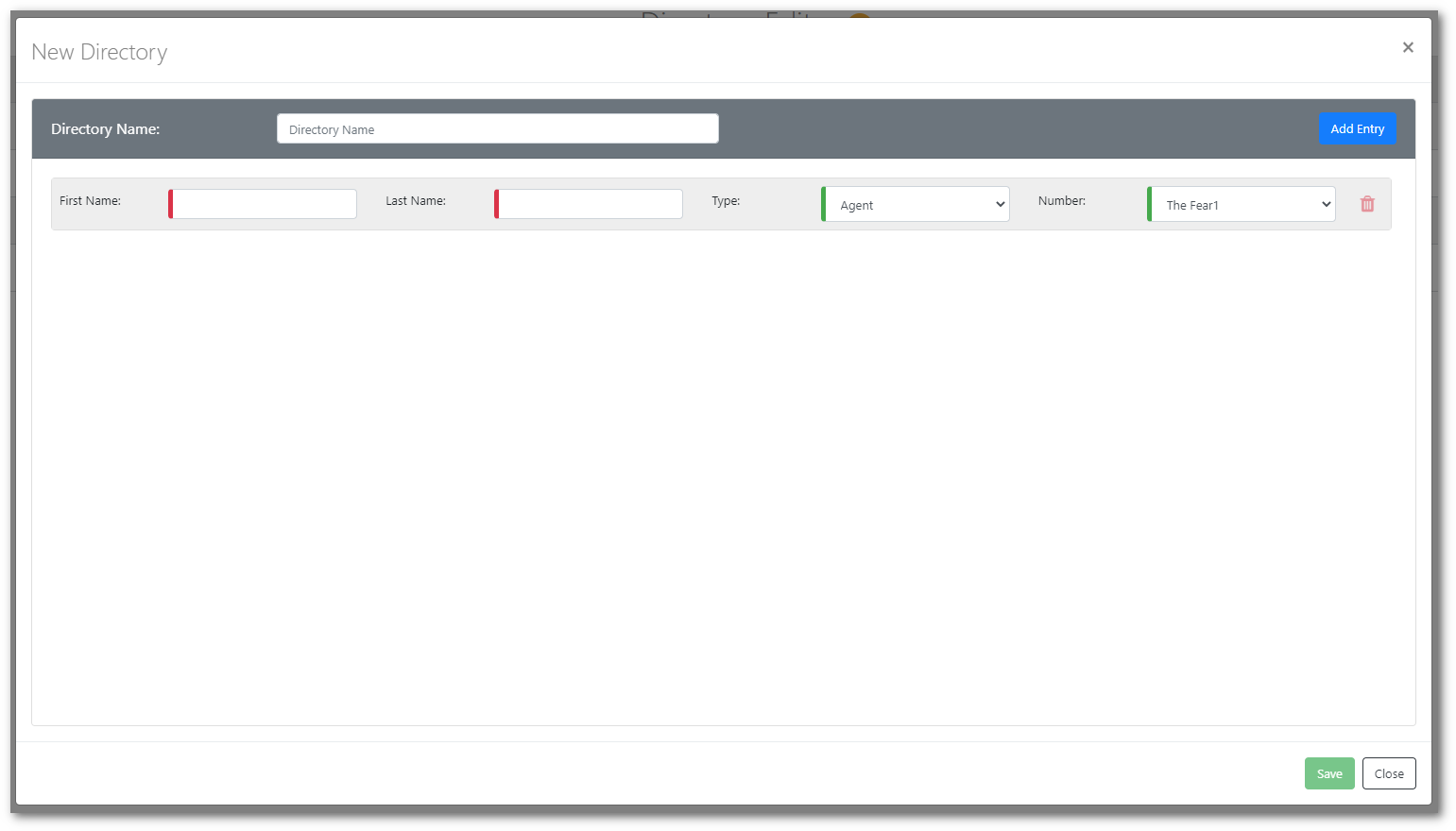
- Then click Save.